Platform review · subscriber side
Fanvue review 2026: what fans should know before subscribing
Our review gives Fanvue 4.6/5. It suits you if you want a low entry price, free profiles, labelled AI creators or payment by Apple Pay, Google Pay or crypto. It suits you less if you want PayPal or a statement line that does not name the platform, and keep in mind that payments are non-refundable.
Who Fanvue is for, and who should skip it
Good fit for
- Fans who want a low entry price or free-to-follow profiles
- Fans curious about AI creators who want AI content clearly disclosed
- Fans who pay with Apple Pay, Google Pay, the Fanvue crypto wallet or a prepaid card
- Fans who do not want to give their real name to creators
Not for
- Fans who want to pay with PayPal
- Fans who want a bank statement line that does not name the platform
What is Fanvue and how does it work?
Fanvue is a subscription platform where you pay creators for access to their content. It was founded in 2020 and is run by Shift Holdings LTD, a company based in Ruislip, London, United Kingdom.
Creators share photos and videos, and they can send you direct messages. Fanvue also offers voice calls and voice notes, including AI voice calls and AI voice notes. According to secondary sources, Fanvue also supports live streams.
Fanvue allows AI-generated creators and virtual influencers that follow its rules, and AI content must be clearly disclosed. So the site is not all AI, but some creators on it are.
There is no native Fanvue app in the App Store or Google Play. Fanvue offers a web app instead: you open the site in your phone's browser and add it to your home screen with the browser's own function.
- Founded
- 2020
- Headquarters
- London, United Kingdom
- Formats
- Photos, videos, messages, AI voice calls, AI voice notes, voice calls
- AI creators
- AI content allowed, disclosed
- App
- No, web app you add to your home screen
Source: fanvue.com, checked November 7, 2026
How much does Fanvue cost for fans?
Fanvue works on a monthly subscription per creator: you pay a recurring monthly fee for access to that creator's content. Creators can also sell specific posts separately as pay-to-view, and you can send tips. Fans can follow creators for free if the creator allows it.
Creators set their subscription prices between $3.99 (4 €) and $100 (90 €) per month, according to Fanvue.
On our ranking, 261 of 264 listed Fanvue profiles show a price, and 12% of them are free or with a free trial. On the 230 profiles showing a monthly price in euros, the lowest is $4 (3 €), the median is $10 (9 €) and the highest is $100 (90 €).
Those observed prices were recorded in euros, then converted and rounded, so our lowest figure of $4 (3 €) differs slightly from the documented floor of $3.99 (4 €). Euro figures on this page are converted at the ECB reference rate of November 6, 2026 (1 € = 1.1165 $).
261 of 264 tracked profiles show a price (6 free, 25 trials, 230 monthly) · computed from our profiles on November 11, 2026 · monthly prices observed in euros, shown in US dollars with the euro amount in brackets
Monthly subscription per creator
Paid content, unlocked piece by piece.
Optional, on top of the subscription.
How do you pay on Fanvue, and what shows on your statement?
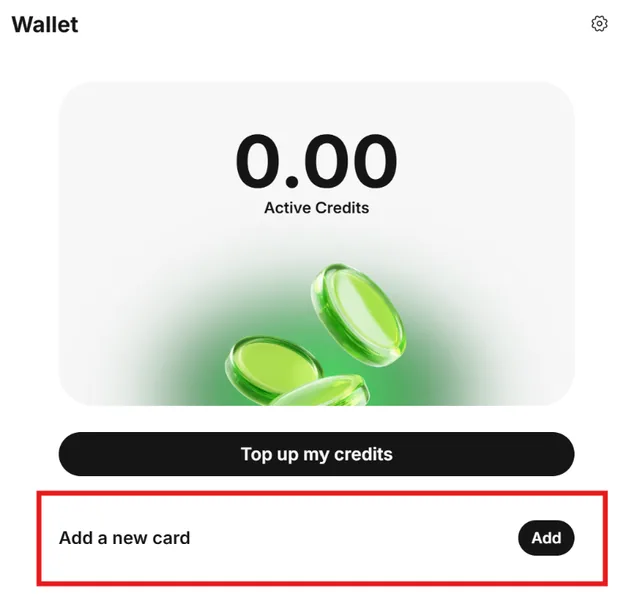
You can pay by credit or debit card, including Visa and Mastercard, and by gift or prepaid Visa and Mastercard cards. Fanvue also accepts Apple Pay, Google Pay and its own crypto wallet. Where the option is available, you can pay with Fanvue Credits deducted from your balance, and users based in Brazil can pay with PIX.
PayPal is not accepted on Fanvue.
All Fanvue transactions show as fanvue.com on your bank or card statement. The line names the platform, which matters if you share your statements with someone.
On the fan side, you are never required to give your real name to creators, or to share identifying information with creators or other fans.
- AcceptedCredit or debit card, Fanvue Credits, Apple Pay, Google Pay, crypto, PIX (Brazil), prepaid Visa or Mastercard
- Statementfanvue.com
- PayPalNo
Is Fanvue safe and legit?
Creators go through identity verification when they create their accounts, with a government ID and a selfie. That applies to every creator, AI accounts included. As a fan, you may be required to complete age verification in certain jurisdictions.
Fanvue says it does not store age-verification selfies or ID images, only a pass/fail result and a timestamp. Viewer face scans, selfies and face-matching data are deleted once the age check is complete.
Fanvue states it uses encrypted systems. Card details are processed by payment partners compliant with PCI DSS, and 3D Secure verification is mandatory for most card payments. Creator identity verification data is GDPR-protected, creators can turn on two-factor authentication, and according to secondary sources Fanvue is compliant with data protection laws.
We have no verified review score for Fanvue, so we do not cite one. To avoid fake accounts, subscribe through the profile link a creator shares on their own social accounts, and be careful with lookalike usernames.
How to cancel a Fanvue subscription and delete your account
You can cancel a subscription to any creator at any time. All your active subscriptions are listed under "Settings > Payments & Subscriptions > Manage My Subscriptions", and you unsubscribe from each one individually. Fanvue's terms also allow you to cancel by email to its support team.
- Open "Settings"
- Go to "Payments & Subscriptions"
- Open "Manage My Subscriptions" to see all your active subscriptions
- Unsubscribe from each creator individually
- To delete your account, go to "Settings", then "Account"
- Click "Delete my account" and confirm when prompted
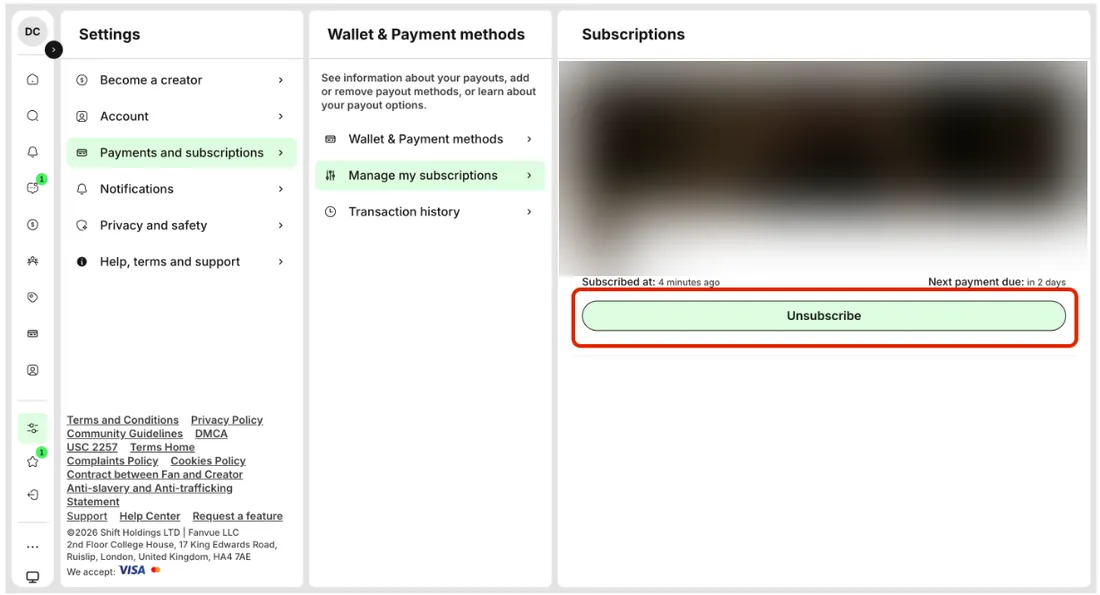
Cancelling stops future renewals, but keep in mind that Fanvue payments are non-refundable.
To close your account, open Account in your settings and choose "Delete my account". It removes your account and all associated data permanently and cannot be undone. If you signed up with Google or X, Fanvue's help gives adding a password first as one option before you delete.
Fanvue vs OnlyFans vs MYM: which one fits you?
| For subscribers | Fanvue | MYM | OnlyFans |
|---|---|---|---|
| Our score | 4.6 | 4.4 | 4.2 |
| Median price | $10 (9 €), 230 profiles | n/a | $20 (18 €), 5 profiles |
| Free or trial | 12% | n/a | 31% |
| PayPal | No | Yes | No |
| Crypto | Yes | Yes | Not documented |
| AI creators | AI content allowed, disclosed | AI content allowed, disclosed | Only the verified creator |
| Statement | fanvue.com | AIR MEDIAS | OnlyFans / OF / OnlyFans.com |
| Founded | 2020 | 2019 | 2016 |
In our review, Fanvue scores 4.6/5, MYM 4.4/5 and OnlyFans 4.2/5. Documented price ranges differ: Fanvue creators set $3.99 (4 €) to $100 (90 €) per month, OnlyFans creators $4.99 (4 €) to $50 (45 €), and on MYM each creator sets the price. Free profiles exist on all three (on MYM according to secondary sources). Fanvue was founded in 2020, and OnlyFans launched in 2016 according to secondary sources. On all three you can cancel a subscription at any time, and all three allow AI content under conditions, with disclosure required.
Read the table by fan profile. Fanvue fits you if you pay with Apple Pay, Google Pay or crypto, or want AI creators that must be disclosed. OnlyFans fits you if you pay by card or with Wallet Credits and the creators you follow post there. MYM fits you if you want PayPal: Fanvue does not accept it, and neither does OnlyFans according to secondary sources. The Fanvue (fanvue.com) and OnlyFans statement lines name the platform, while MYM shows AIR MEDIAS on your bank statement and PayPal account.
The other two reviews: MYM review · OnlyFans review
Top-ranked Fanvue creators in our ranking
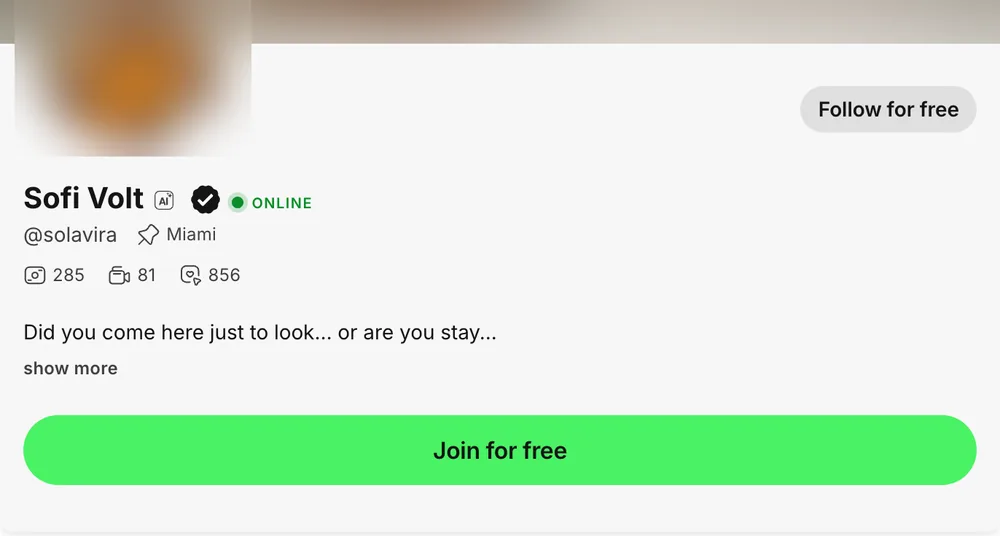
Here are the top-ranked Fanvue creators in our ranking, including Sofi Volt, Ashley and Lily Blaze. Each card leads to the creator's page on porngt, which has the link to their Fanvue account.
 Leah Mills Blonde, slim, girl next door 02
 Lily Blaze Brunette, tanned, gentle 03
 Alexa Wilson Curly brunette, tanned, sporty, bikini by the pool 04
 Monica Brown Mature, silver hair, elegant curves 05
 Ashley Light brown hair, slim, casual selfies 06
 June Brunette, slim, natural girl next door
Official profile. Affiliate link, at no extra cost to you.
Fanvue FAQ
What is Fanvue?
Is Fanvue safe?
Is Fanvue legit?
Is Fanvue all AI? Are the people on Fanvue real?
How do I cancel a Fanvue subscription?
Does Fanvue require ID?
Is Fanvue safe for credit cards, and how does it show on my statement?
Fanvue vs OnlyFans: which should you choose?
How we rate Fanvue
5/5: fans can follow creators for free if the creator allows it, the documented range starts at $3.99 (4 €), 12% of our listed profiles are free or with a free trial, and their median monthly price is $10 (9 €), so all four rules are met.
4/5: you can pay with Apple Pay, Google Pay and the Fanvue crypto wallet and never have to give your real name to creators, but the statement shows fanvue.com, which names the platform.
5/5: fans may be required to complete an age check in certain jurisdictions, creators go through KYC with a government ID and a selfie, and Fanvue documents encryption, PCI DSS compliant payment processing, 3D Secure, GDPR protection and two-factor authentication.
4/5: you can cancel any subscription at any time from Settings > Payments & Subscriptions > Manage My Subscriptions and permanently delete your account from Account settings, but Fanvue states that payments are non-refundable.
5/5: Fanvue documents photos, videos, direct messages, voice calls and AI voice calls and notes, plus live streams according to secondary sources, and it allows AI creators as long as AI content is clearly disclosed.
Our rating uses 5 criteria: entry price and free access, payment and discretion, security and reliability, cancellation and account control, and offer and formats. Each criterion has 4 rules and scores 1 + 4 x (rules met / applicable rules), rounded to the nearest whole point, so 1 + rules met when all 4 rules apply. The overall rating is the plain average of the 5 scores.
A rule that cannot be applied for lack of data is not applicable and excluded from the score: it never counts as unmet. The two rules based on our listed profiles (at least 10% free or with a free trial, and a median monthly price of $10 (9 €) or less) need at least 10 profiles with a price, and the median rule also needs at least 10 monthly profiles in the same currency. For Fanvue every rule applies, nothing is excluded.
Facts come from official pages and concordant secondary sources, each recorded with its source and date. This is our review based on documented facts: we did not test the platforms ourselves.