




Platform review · subscriber side
OnlyFans review 2026: what fans should know before subscribing
Our OnlyFans review gives the platform 4.2/5. It fits you if you pay by card and the creators you follow are on OnlyFans: you get free profiles, a documented price range, two-factor authentication and cancellation at any time. It fits less well if you want PayPal, crypto or a bank statement line that does not name the platform.
Who OnlyFans is for, and who should skip it
Good fit for
- Fans who pay by credit or debit card and whose creators are on OnlyFans
- Fans who want to start with free profiles before paying for a subscription
- Fans looking for formats beyond posts, such as audio, livestreams, messages and video calls
- Fans who want two-factor authentication and a view of their login sessions
Not for
- Fans who want to pay with PayPal or crypto, or without a payment card
- Fans who want a bank statement line that does not name the platform
What is OnlyFans and how does it work for fans?
OnlyFans is a subscription platform where you pay creators directly for access to their content. According to secondary sources, it was launched in 2016. It is owned and operated by Fenix International Limited, a company registered in England and Wales with its registered office in London.
Content on OnlyFans can include photos, videos, audio and livestream material. As a fan, you can also exchange messages and have video calls with other users. You subscribe creator by creator, and you can also pay for pay-per-view content or send tips.
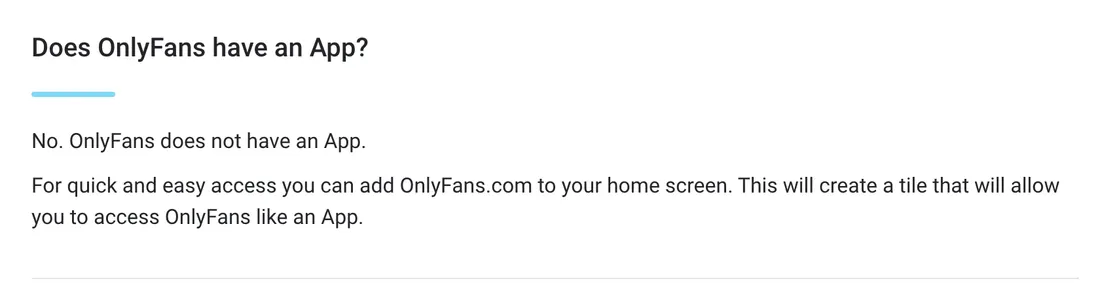
OnlyFans does not have a native app. Instead, you can add the website to your phone's home screen and open it like an app.
AI-generated or AI-enhanced content is allowed only under conditions, including that it belongs to and features a verified creator. It must be identifiable as such, most easily with the #ai hashtag.
- Founded
- 2016Source: secondary sources
- Headquarters
- London, United Kingdom
- Formats
- Photos, videos, audio, live, messages, video calls
- AI creators
- Only the verified creator
- App
- No
Source: onlyfans.com, checked November 7, 2026
How much does an OnlyFans subscription cost?
OnlyFans works with a paid subscription per creator, which renews automatically at the current rate unless you cancel it before the renewal date. On top of subscriptions, OnlyFans supports pay-per-view content, and you can send tips. Creators can also choose a free account, so some profiles cost nothing to follow.
According to OnlyFans, creators can set a subscription price between $4.99 (4 €) and $50 (45 €) per month. Prices on OnlyFans typically appear and are charged in US dollars.
On our ranking, 31% of our listed OnlyFans profiles are free. On the 5 profiles of our ranking showing a price in dollars, the lowest monthly price is $15 (13 €), the median is $20 (18 €) and the highest is $34.95 (31 €). This sample is small, so read these figures as indications only.
Euro figures on this page are converted at the ECB reference rate of November 6, 2026 (1 € = 1.1165 $).
13 of 31 tracked profiles show a price (4 free, 0 trials, 9 monthly) · computed from our profiles on November 11, 2026 · monthly prices observed in US dollars, the majority currency (5 profiles) · 4 profiles in another currency left out
Auto-renewing subscription per creator
Paid content, unlocked piece by piece.
Optional, on top of the subscription.
OnlyFans payment methods: what can you pay with?
Fan payments on OnlyFans are made by payment card (credit or debit), processed by third-party payment providers. To make a payment, you must have added a valid payment card. You can also prepay an amount as Wallet Credits and use it later for payments.
According to secondary sources, PayPal is not supported as a direct payment method on OnlyFans. No crypto or other payment method is documented.
Your card statement will show the payment as "OnlyFans", "OF" or "OnlyFans.com", so the line names the platform.
On the fan side, according to secondary sources, creators do not see your email, card or real name: they see your username, your profile and what you spend with them.
- AcceptedCredit or debit card, OnlyFans Wallet credits
- StatementOnlyFans / OF / OnlyFans.com
- PayPalNo

Is OnlyFans safe for fans?
Fans must be at least 18, and OnlyFans may use additional age assurance measures, including third-party providers, depending on where you live. To open a creator account, users must upload a valid ID and two photos and complete identity verification.
OnlyFans offers Two-Step Authentication, set up from the Account Settings page, where you can also view your login sessions. OnlyFans does not receive your full card details: the payment provider supplies a token instead. OnlyFans states that it does not use cross-site tracking technologies and does not sell users' personal data. According to secondary sources, it has measures to comply with GDPR for European users.
We hold no verified review score for OnlyFans, so we do not quote one.
To avoid fake accounts, subscribe through the official profile linked by the creator on their own channels rather than through a profile found by searching for a name, and check the username before paying.
How to cancel an OnlyFans subscription and delete your account
You can cancel an OnlyFans subscription at any time through your account, including by selecting "Unsubscribe" on the creator's page. OnlyFans also points you to your "Following" page, which lists all your active and inactive subscriptions. Since subscriptions renew automatically at the current rate, cancel before the renewal date if you do not want to pay for another period.
- Log in to your OnlyFans account
- Open your "Following" page to see your active and inactive subscriptions, or go to the creator's page
- Select "Unsubscribe" for each creator you want to stop paying
- To delete your account, go to Settings
- Select "Delete Account" and follow the instructions
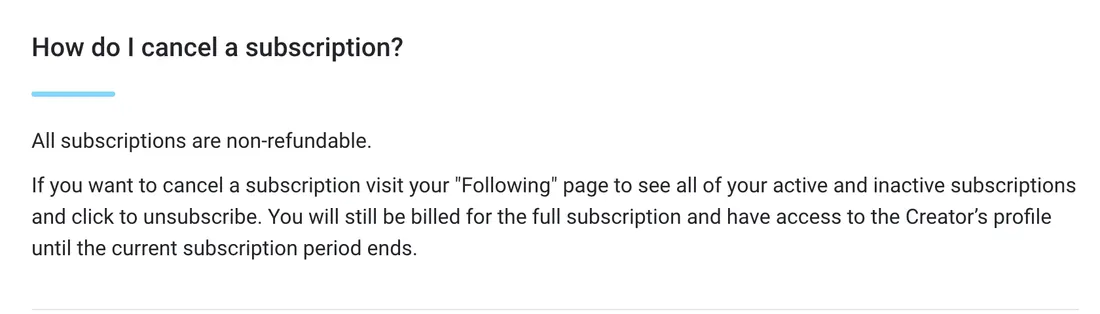
All OnlyFans subscriptions are non-refundable, so cancelling stops the next renewal rather than refunding the current one.
To delete your OnlyFans account, open your account, go to Settings, select "Delete Account" and follow the instructions.
OnlyFans vs Fanvue vs MYM: which alternative fits you?
| For subscribers | OnlyFans | Fanvue | MYM |
|---|---|---|---|
| Our score | 4.2 | 4.6 | 4.4 |
| Median price | $20 (18 €), 5 profiles | $10 (9 €), 230 profiles | n/a |
| Free or trial | 31% | 12% | n/a |
| PayPal | No | No | Yes |
| Crypto | Not documented | Yes | Yes |
| AI creators | Only the verified creator | AI content allowed, disclosed | AI content allowed, disclosed |
| Statement | OnlyFans / OF / OnlyFans.com | fanvue.com | AIR MEDIAS |
| Founded | 2016 | 2020 | 2019 |
On our rubric, Fanvue scores 4.6/5, MYM 4.4/5 and OnlyFans 4.2/5. The documented subscription ranges differ: $4.99 (4 €) to $50 (45 €) per month on OnlyFans, $3.99 (4 €) to $100 (90 €) on Fanvue, while on MYM the price is set by each creator. All three let you cancel at any time, and all three have free profiles (on MYM according to secondary sources). On AI, OnlyFans allows it only when the content features the verified creator, Fanvue allows AI-generated creators that follow its rules, and MYM allows AI under stated conditions, with disclosure required on all three.
If you pay by card and your creators are on OnlyFans, it covers what you need, with Wallet Credits as an option. If you want PayPal, crypto and a statement in the name AIR MEDIAS, MYM is the alternative (MYM describes itself as a French company and, according to secondary sources, bills in euros). If you want crypto, Apple Pay or Google Pay, look at Fanvue, keeping in mind that PayPal is not accepted there and its statement shows fanvue.com.
The other two reviews: Fanvue review · MYM review
Top OnlyFans creators in our ranking
Here are the top-ranked OnlyFans creators of our ranking, including Katja Krasavice, Mia Julia and Shaiden Rogue. Each card leads to the creator's page on porngt, with the link to their OnlyFans account.
 Hailie Afterdark Tattooed blonde, petite and athletic, travel and lingerie 02
 Mia Malkova Blonde, athletic, adult film star 03
 Bridgette B Blonde, busty, glam lingerie 04
 Gabby Epstein Tanned blonde, Australian model 05
 YourBabyLacey Redhead, succubus cosplay, horns and wings 06
 Azalea Hijabi Veiled, black and emerald hijab, light lingerie in the bedroom
Direct link to her official profile.
OnlyFans FAQ
What is OnlyFans and how does it work for viewers?
Is OnlyFans safe?
How do I cancel an OnlyFans subscription?
How do I delete my OnlyFans account?
Can someone steal your card info on OnlyFans?
Is OnlyFans free?
What payment methods does OnlyFans accept? Can I use PayPal?
Is OnlyFans legal?
How we rate OnlyFans
5/5: Creators can set a free subscription, the documented range starts at $4.99 (4 €) per month and 31% of our listed OnlyFans profiles are free, while the median rule ($20 (18 €) on the 5 profiles of our ranking showing a price in dollars) is not applicable and excluded from the score because it rests on fewer than 10 profiles.
2/5: According to secondary sources, creators cannot see your real name, email or payment details, but no payment family beyond cards and Wallet Credits is documented, and charges appear as "OnlyFans", "OF" or "OnlyFans.com", which names the platform.
5/5: Fans must be 18 or older with age checks that vary by location, creators verify their identity with an ID and photos, and documented protections include two-factor authentication, login session history, card tokenization, no sale of personal data and, according to secondary sources, GDPR compliance.
4/5: You can cancel at any time by selecting "Unsubscribe" on the creator's page and delete your account via Settings and "Delete Account", but all subscriptions are documented as non-refundable.
5/5: Documented content includes photos, videos, audio, livestreams, messages and video calls, and AI-generated content is allowed only when it features the verified creator and must be disclosed, for example with the #ai hashtag.
Our review rests on a published rubric, identical for OnlyFans, Fanvue and MYM. It has 5 criteria (entry price, payment and discretion, security, cancellation and account control, offer and formats), each with 4 rules. Each criterion scores 1 + 4 x (rules met / applicable rules), rounded to the nearest whole point, so 1 + rules met when all 4 rules apply. The overall rating is the plain average of the 5 scores.
A rule that cannot be applied for lack of data is not applicable and excluded from the score: it never counts as unmet. The two rules based on our listed profiles (at least 10% free profiles, median monthly price of $10 (9 €) or less) need at least 10 profiles with a price, and the median rule also needs at least 10 monthly profiles in the same currency.
For OnlyFans, the median monthly price rule was not applicable, because the median rests on only 5 profiles of our ranking showing a price in dollars, fewer than 10. It is excluded from the score, so the entry score is computed on 3 applicable rules, all 3 met.
Facts come from official OnlyFans pages and concordant secondary sources, each recorded with its source and date. This is our review based on those facts, not a hands-on test of the platform.